
.png)
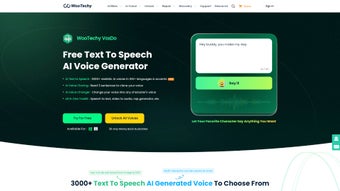
Description
Download WooTechy VoxDo – AI Voice Generator, Text‑to‑Speech & Voice Cloning Tool
Overview
WooTechy VoxDo is an innovative AI‑powered voice generator that transforms text into natural‑sounding speech in just three easy steps. Built for creators, marketers, educators, and developers, VoxDo supports more than 100 languages and a wide variety of regional accents, making it a truly global solution for voice‑over production. Whether you need a polished narration for an e‑learning module, a charismatic character voice for a video game, or a quick text‑to‑speech conversion for a podcast intro, VoxDo delivers high‑quality results with minimal effort. The platform also introduces cutting‑edge voice‑cloning technology: by recording just three short sentences, users can generate a personalized voice model that mimics the original speaker’s tone, cadence, and emotional nuance. This feature opens doors for branding, personalized audiobooks, and immersive storytelling. In addition to voice synthesis, VoxDo includes a suite of audio‑editing tools—mood presets, noise reduction, and real‑time recording—that enable fine‑tuning without leaving the application. The interface is designed for both casual users, who appreciate the drag‑and‑drop simplicity, and power users, who benefit from advanced parameters such as pitch control, speed adjustment, and batch processing. Security and privacy are baked in; all voice data is encrypted during upload and storage, and the AI models run on secure cloud servers that comply with GDPR and CCPA standards. Overall, WooTechy VoxDo positions itself as a comprehensive, secure, and user‑friendly voice generation platform that bridges the gap between creative imagination and technical execution.
Core Features & Capabilities
- Support for over 100 languages and dozens of regional accents.
- AI voice cloning with just three sample sentences.
- High‑fidelity text‑to‑speech conversion using neural networks.
- Character voice generation including celebrities and fictional personas.
- Real‑time audio recording and instant playback.
- Built‑in audio editor with mood presets, noise reduction, and EQ controls.
- Batch processing for large‑scale projects and API integration.
- Secure cloud storage with end‑to‑end encryption.
- Cross‑platform availability on Windows, macOS, Android, and iOS.
- Regular updates that improve model accuracy and add new language packs.
The multilingual engine behind VoxDo is powered by deep learning models that have been trained on diverse speech corpora, ensuring that each output sounds authentic and context‑appropriate. For example, a user can type “Welcome to our summer sale!” and instantly receive a British‑English, American‑English, or Australian‑English version, each with its own subtle intonation patterns. The voice‑cloning module employs a proprietary speaker‑embedding technique that captures the unique timbre of a speaker after just three short recordings. This allows marketers to generate consistent brand‑voice messages without re‑recording every new script. Content creators love the character voice library, which includes licensed impersonations of popular fictional heroes and well‑known public figures—perfect for quick mock‑ups or parody projects. The real‑time recording feature lets podcasters capture narration on the fly, apply noise reduction, and export directly to MP3 or WAV formats. The audio editor’s mood presets (e.g., “Excited,” “Calm,” “Mysterious”) adjust pitch, speed, and vibrato automatically, reducing the need for manual tweaking. Finally, the batch‑processing API enables developers to integrate VoxDo into automated workflows, such as generating thousands of audio prompts for language‑learning apps in a single command.
Installation, Usage & Compatibility
Step‑by‑Step Installation
Installing WooTechy VoxDo is straightforward on all supported platforms. For Windows users, download the installer from the official WooTechy website, run the .exe file, and follow the on‑screen wizard—accept the license agreement, choose an installation folder, and click “Install.” macOS users receive a .dmg package; open it, drag the VoxDo icon into the Applications folder, and launch the app. Mobile users can find VoxDo in the Apple App Store or Google Play Store; a single tap installs the app with all necessary permissions (microphone, storage, and network). After the initial installation, the app prompts you to create a free account or sign in with Google/Apple. Account creation unlocks cloud syncing, voice‑model storage, and access to the full language library.
First‑Run Workflow
Once logged in, the dashboard presents three primary actions: “Generate Voice,” “Clone Voice,” and “Edit Audio.” Selecting “Generate Voice” opens a text box where you paste or type your script, choose a language, pick an accent, and optionally select a character voice. A single click on “Synthesize” triggers the AI engine; within seconds, a playback bar appears, and you can download the result in MP3, WAV, or OGG format. For voice cloning, the “Clone Voice” tab guides you through recording three short sentences (approximately 5 seconds each). The app uploads the samples, builds a unique voice fingerprint, and notifies you when the model is ready—typically under a minute. You can then use the cloned voice just like any built‑in voice, applying mood presets or adjusting speed. The “Edit Audio” section provides a waveform view, allowing you to trim silences, apply noise reduction, and add background music from the built‑in library. All changes are non‑destructive, and you can export the final mix directly to your preferred platform.
Supported Operating Systems
Windows 10/11 (64‑bit), macOS 10.15 Catalina or later, Android 8.0 (Oreo) and above, iOS 13 or later. The web version runs on any modern browser (Chrome, Edge, Firefox, Safari) with WebGL support, ensuring that even users on low‑spec machines can generate voice without installing the desktop client.
Pros, Cons, FAQ & Conclusion
Pros
- Extensive language and accent coverage for global audiences.
- Voice cloning with minimal recording effort.
- Integrated audio editor eliminates the need for third‑party tools.
- Cross‑platform support and web‑based access.
- Secure data handling with encryption and compliance standards.
- Free tier available for hobbyists; affordable premium plans for professionals.
Cons
- High‑quality voice cloning requires a stable internet connection for model training.
- Premium plans can be pricey for large‑scale enterprises.
- Some niche regional accents are still in beta and may sound less natural.
Frequently Asked Questions
Is WooTechy VoxDo completely free?
VoxDo offers a free tier that includes access to most languages, basic voice generation, and limited audio editing. Premium subscriptions unlock higher‑quality neural models, unlimited voice cloning, batch processing, and priority support.
How secure is my recorded voice data?
All voice recordings are encrypted in transit (TLS 1.3) and at rest (AES‑256). WooTechy complies with GDPR, CCPA, and ISO/IEC 27001, ensuring that personal data is stored responsibly and never sold to third parties.
Can I use the generated audio for commercial projects?
Yes. All outputs from VoxDo, including cloned voices, are royalty‑free for commercial use as long as you comply with the licensing terms provided in your account agreement.
What file formats are supported for export?
VoxDo can export audio as MP3 (128 kbps‑320 kbps), WAV (16‑bit PCM), and OGG (VORBIS). You can also choose to download the raw AI‑generated waveform for further processing in external DAWs.
Is there an API for developers?
Yes. VoxDo provides a RESTful API with endpoints for text‑to‑speech, voice cloning, and batch conversion. Documentation and SDKs for Python, JavaScript, and Java are available on the WooTechy developer portal.
Conclusion & Call to Action
WooTechy VoxDo stands out in the crowded AI voice‑generation market by combining a massive multilingual library, effortless voice cloning, and a built‑in audio studio—all wrapped in a secure, cross‑platform package. Whether you are a solo content creator looking for a quick narration, an e‑learning company needing multilingual voice‑overs, or a game studio seeking authentic character voices, VoxDo delivers consistent quality without demanding a steep learning curve. The free tier lets you explore core features, while the premium plans scale gracefully for professional workflows. If you’re ready to elevate your audio content, simply click the download button below, create a free account, and start generating lifelike speech in seconds.
Download WooTechy VoxDo now and experience the future of AI‑driven voice creation.
Guides & Tutorials for WooTechy VoxDo
How to install WooTechy VoxDo
- Click the Preview / Download button above.
- Once redirected, accept the terms and click Install.
- Wait for the WooTechy VoxDo download to finish on your device.
How to use WooTechy VoxDo
This software is primarily used for its core features described above. Open the app after installation to explore its capabilities.
User Reviews for WooTechy VoxDo 0
No reviews found




